 Dial
Dial
What changed in the Sonos app
Sonos rebuilt its app, and took things with it.
In Sonos’s own app since the 2024 rewrite: volume that jumps and lags, a wait before you can do anything, and the sleep timer, alarms, exact volume numbers and queue editing quietly gone. Dial is a separate app that puts those back, over your own network.
And in the living room, with the television right in front of you, the only way to change a room is to pick up your phone.
What you get
Six things, on the remote in your hand.
Rooms
Group and ungroup any speaker in the house from the sofa. One press fills the place.
How rooms work 02Volume
One brushed-steel dial on every screen — the TV, the phone, the watch — with exact numbers, not guesswork.
How volume works 03Your music
Apple Music, Spotify and Pandora searched on the big screen, and every library opened folder by folder.
How music works 04Siri
“Set the Kitchen to 40.” Say the room, it matches the room. Exactly.
How Siri works 05iPhone and iPad
The same house in your pocket, or on the coffee table — and your Sonos on the Lock Screen, with buttons that work.
How the iPhone app works 06Apple Watch
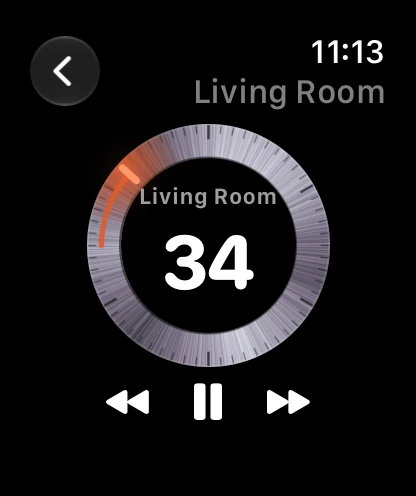
The crown is the volume. Raise your wrist, pick a room, turn.
How the watch app worksAlso works with: Pandora, searched and played through the account linked to your Sonos system · the iOS speaker picker, where a companion app called Dial Speakers lists your rooms beside AirPlay once Apple grants the entitlement.
On screen
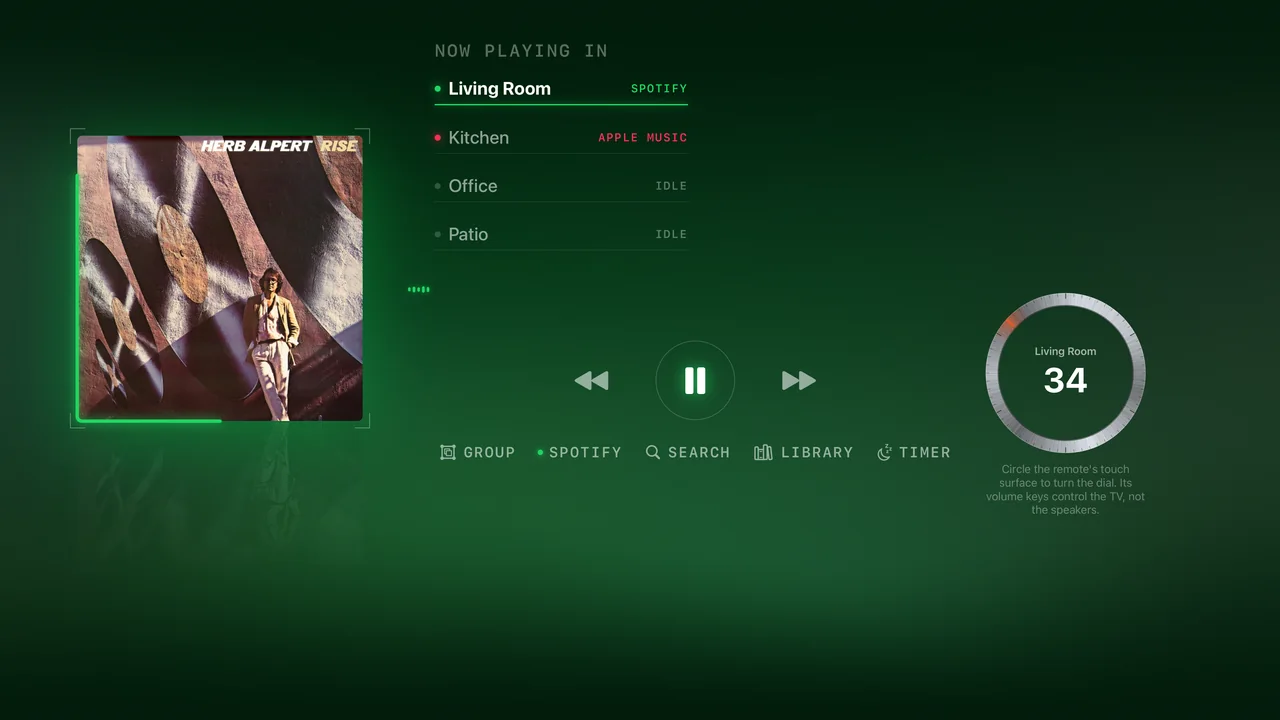
This is the actual app.
Not a mockup — these are 4K captures from the current build.


The dial is the first thing the remote holds. Brushed steel, sixty detents, one ember tick at the level — circle the touch surface and it turns.
The direct line
It talks to your speakers, not around them.
Browsing and playback run over your own network, straight to the players. The cloud is used where Sonos requires it and nowhere else. Nothing about your evening takes a detour through someone else’s server.
Straight across your Wi‑Fi. No stop at anyone’s server.
Also on iPhone
Leave the room. Keep the remote.
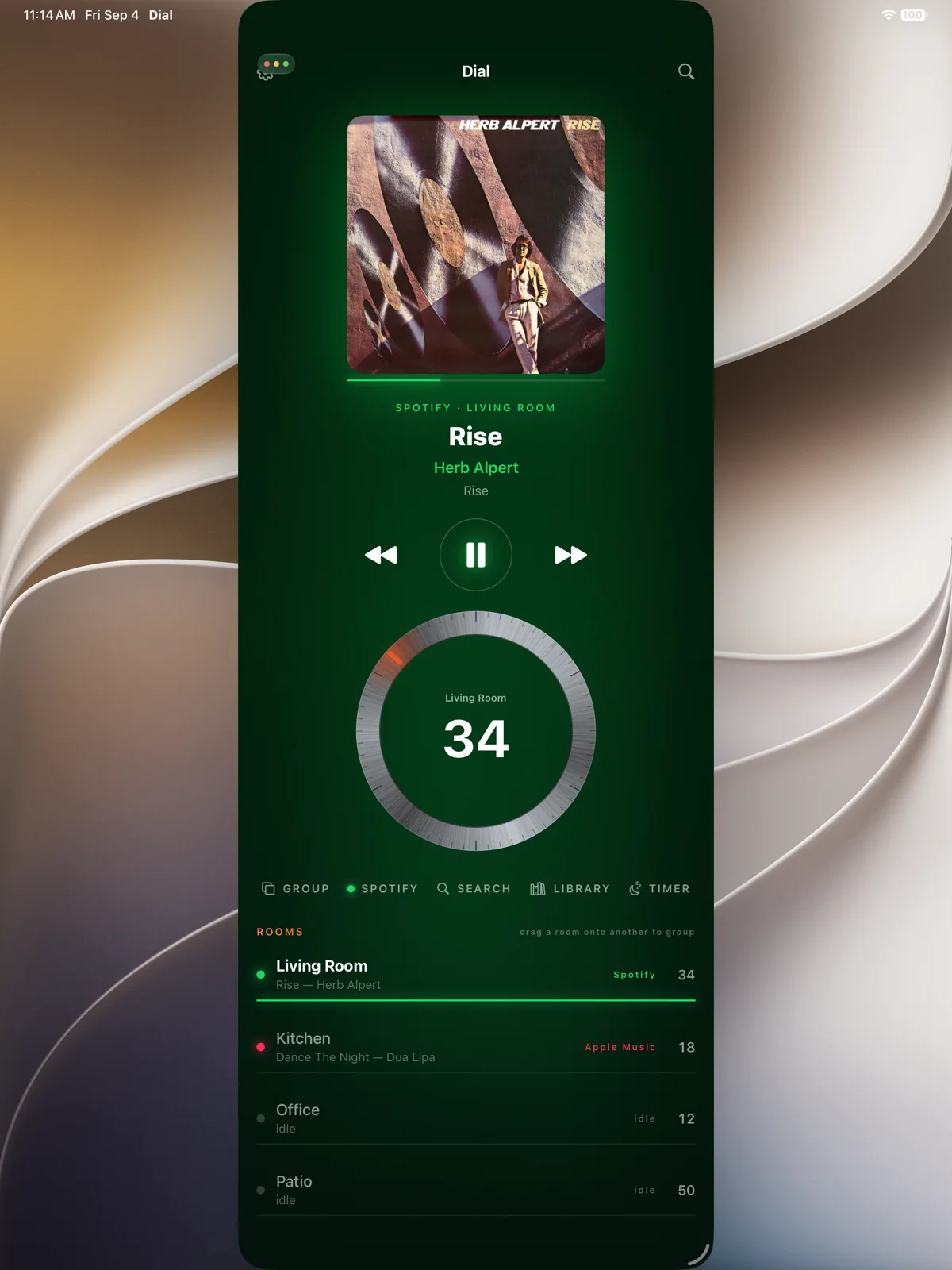
Dial on iPhone is the same house in your pocket: every room, its volume, its transport, its groups. And with iOS 27 your Sonos shows on the Lock Screen and in Control Center — play, skip and per-speaker volume, with the app closed.
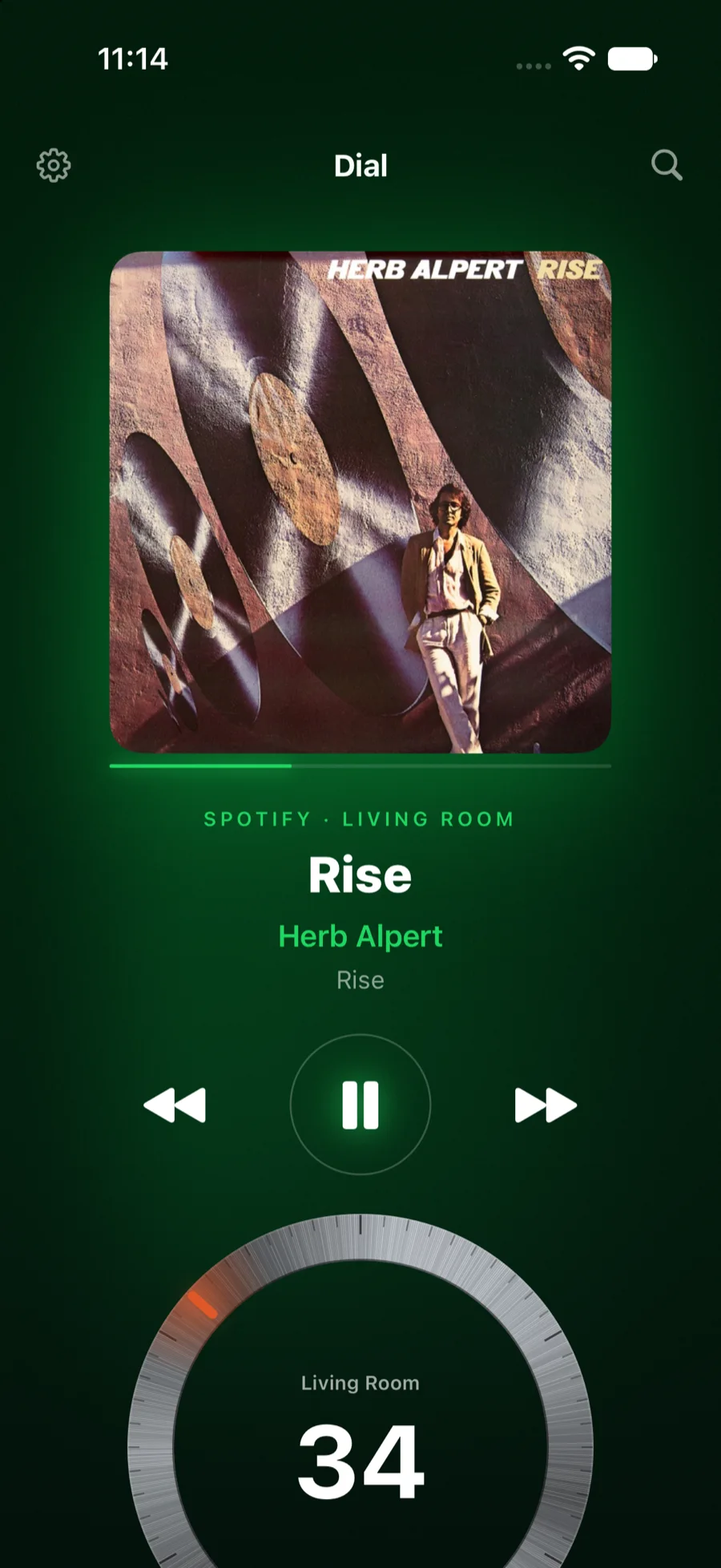
- The dial, in a hand. The record, the transport and a dial you turn with a thumb — and the phone’s own volume buttons drive the room.
- Type here, play there. Search on the phone, hear it in the room, see it on the TV.
- Lock Screen and Control Center. Each playing group is a remote media session; widgets and controls work with the app closed.
- What Sonos removed. Sleep timer, alarms, exact volume, the queue — a long-press away.
- The whole library. Every service folder by folder, and Siri phrases that work with the app closed.
- Both sides of iPhone Duo. Open, the record and the dial take a side of the fold each; closed, the dial is on the first screen.
Say it instead
The remote has a microphone. Use it.
“Set the Kitchen to 40.”
“Play Rise by Herb Alpert in the Living Room.”
“Group the Kitchen with the Living Room.”It matches the room you named — exactly — and does it. A song is searched on every service at once.
Before you ask
The questions people actually have.
Do I have to give it my Sonos password?
No. You authorise it once through Sonos themselves, the same way any third-party app connects. It never sees your password, and the token it holds lives in your Apple TV’s encrypted keychain.
Is this a subscription?
No. Try it, then buy it once.
What about Spotify?
Sign in with your Spotify account and playback runs over Spotify Connect — the speakers stream directly. Spotify requires a Premium account for that; that’s their rule, not ours.
What happens when Sonos changes something?
Most of what this app does runs on your own network, directly to the speakers — the part that has stayed stable for years. That is deliberate.
Which devices does it run on?
Apple TV is the main screen (tvOS 18 or later), and it is on the App Store now. The iPhone and iPad app (iOS 18 or later), the Apple Watch app (watchOS 11 or later) and the Mac app (macOS 15 or later) are on their way, under the same purchase; the watch takes its rooms and its link from the phone. On iPhone Duo it lays out for the fold, open or closed.
What does it cost?
The download is free, and once you link your Sonos you get fourteen days of everything. After that, one purchase of $69.99 in the US unlocks it for good, on every platform. Without it your rooms and what they are playing stay on screen, and the controls open the unlock screen.
Do I need Pandora, Spotify and Apple Music?
No. Dial shows the services your Sonos system already has, and only those. A house with one service sees one folder.
Does it replace the Sonos app?
For the evening, yes. Setting up a new speaker still happens in the Sonos app, because that is where it belongs.
Put it on the big screen.
The iPhone, iPad and Mac apps are on their way. Leave your address for one email when they arrive.
Free to download, fourteen days of everything, then $69.99 once. One purchase covers Apple TV, iPhone, iPad, Apple Watch and Mac. No subscription.